
Reports and analytics
Go to Admin → Analytics. There are four reports, each covering the last 30 days or 90 days.
Work Patterns
Choose a Person to see a Monday-to-Sunday calendar of when and where they were on site.
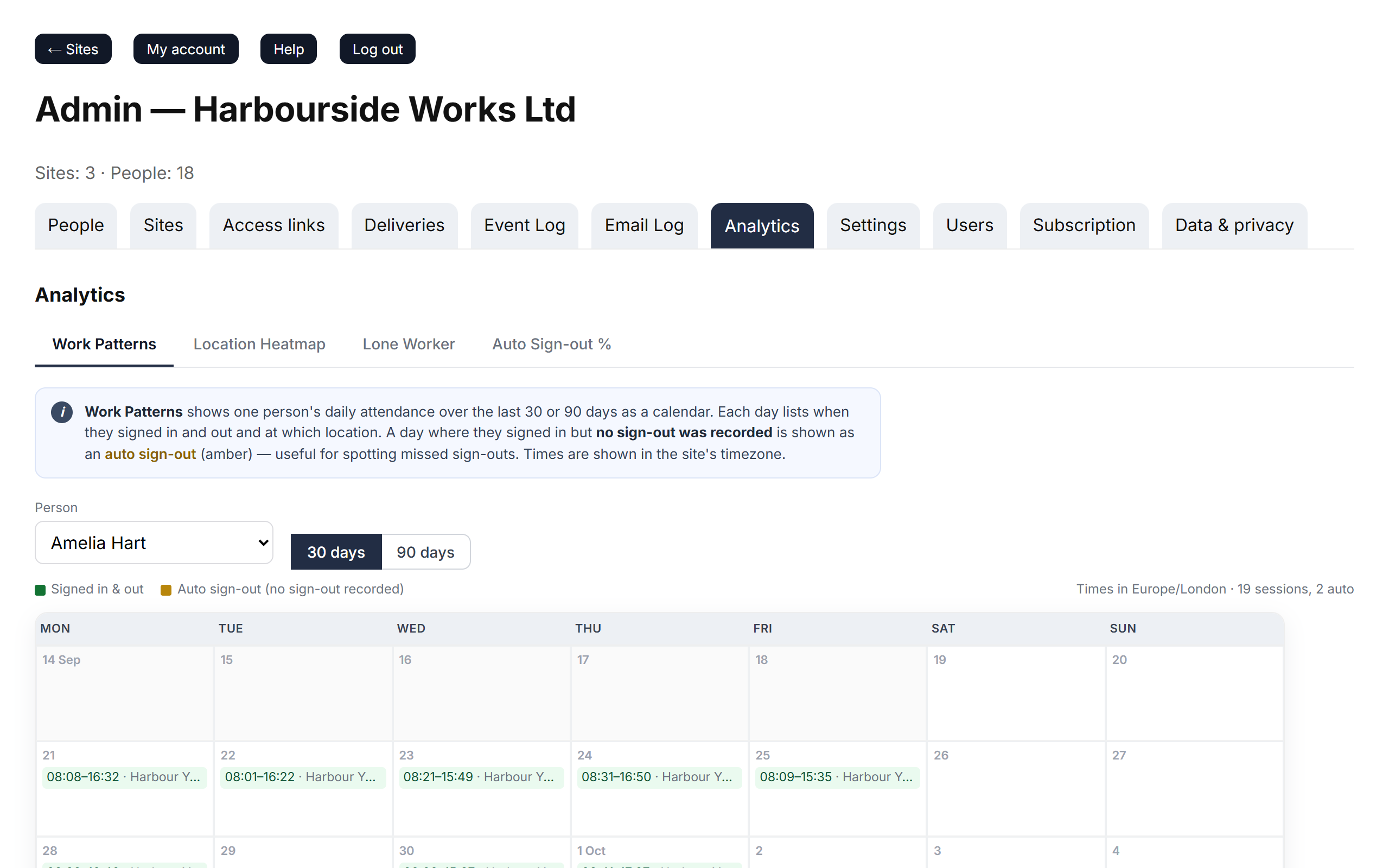
- Each block shows the sign-in and sign-out times and the site, in that site's time zone.
- Amber blocks marked auto had no sign out recorded — see automatic sign-out.
Location Heatmap
One grid per site: days down the side, two-hour blocks across. Darker squares mean more people on site at that time, compared with that site's busiest time. The heading shows the total person-hours.
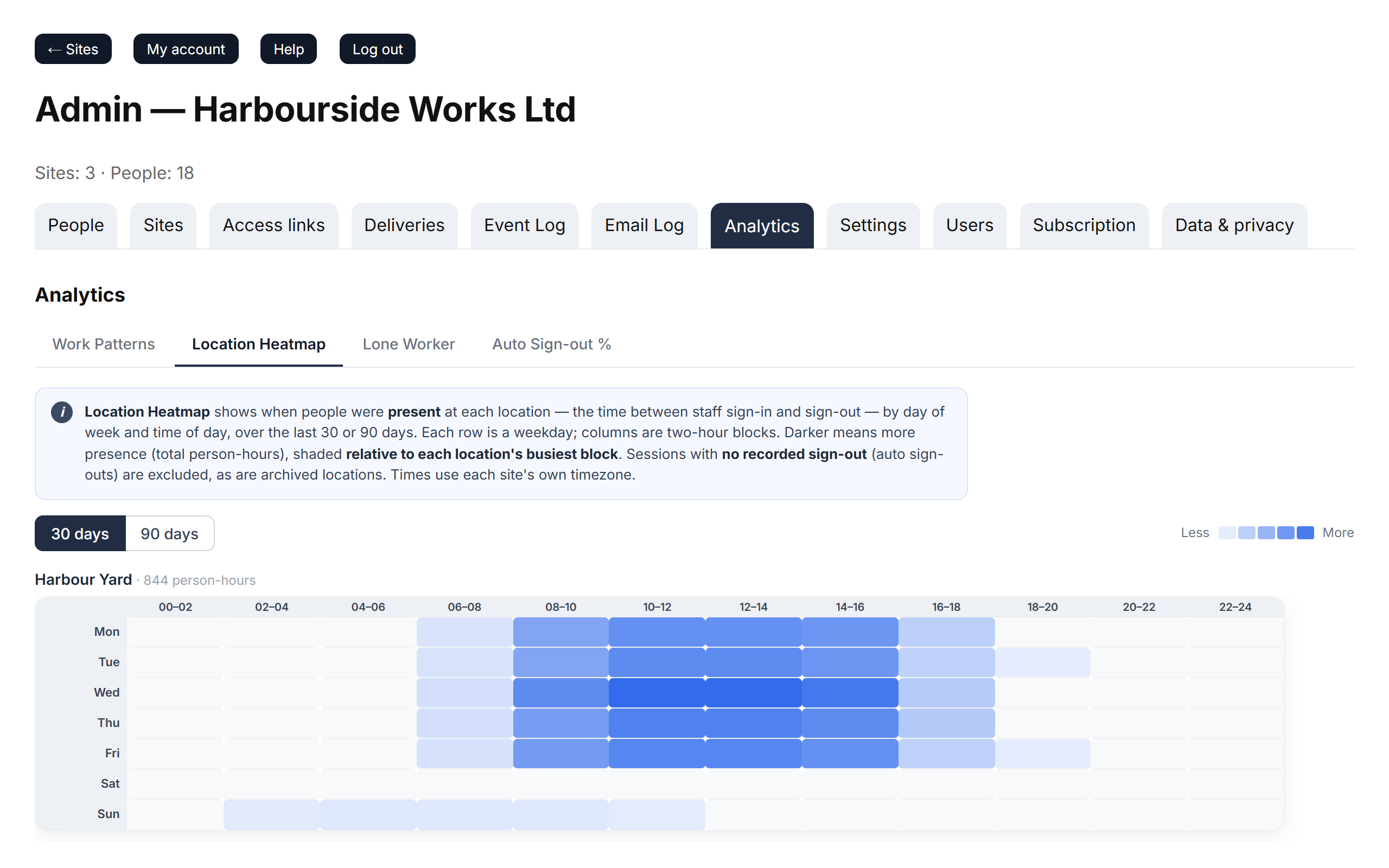
Use it to plan cover, cleaning or deliveries around your quiet and busy times. Only visits with both a sign in and a sign out are counted.
Lone Worker
Shows times when exactly one person was signed in at a site, for at least the time you choose.
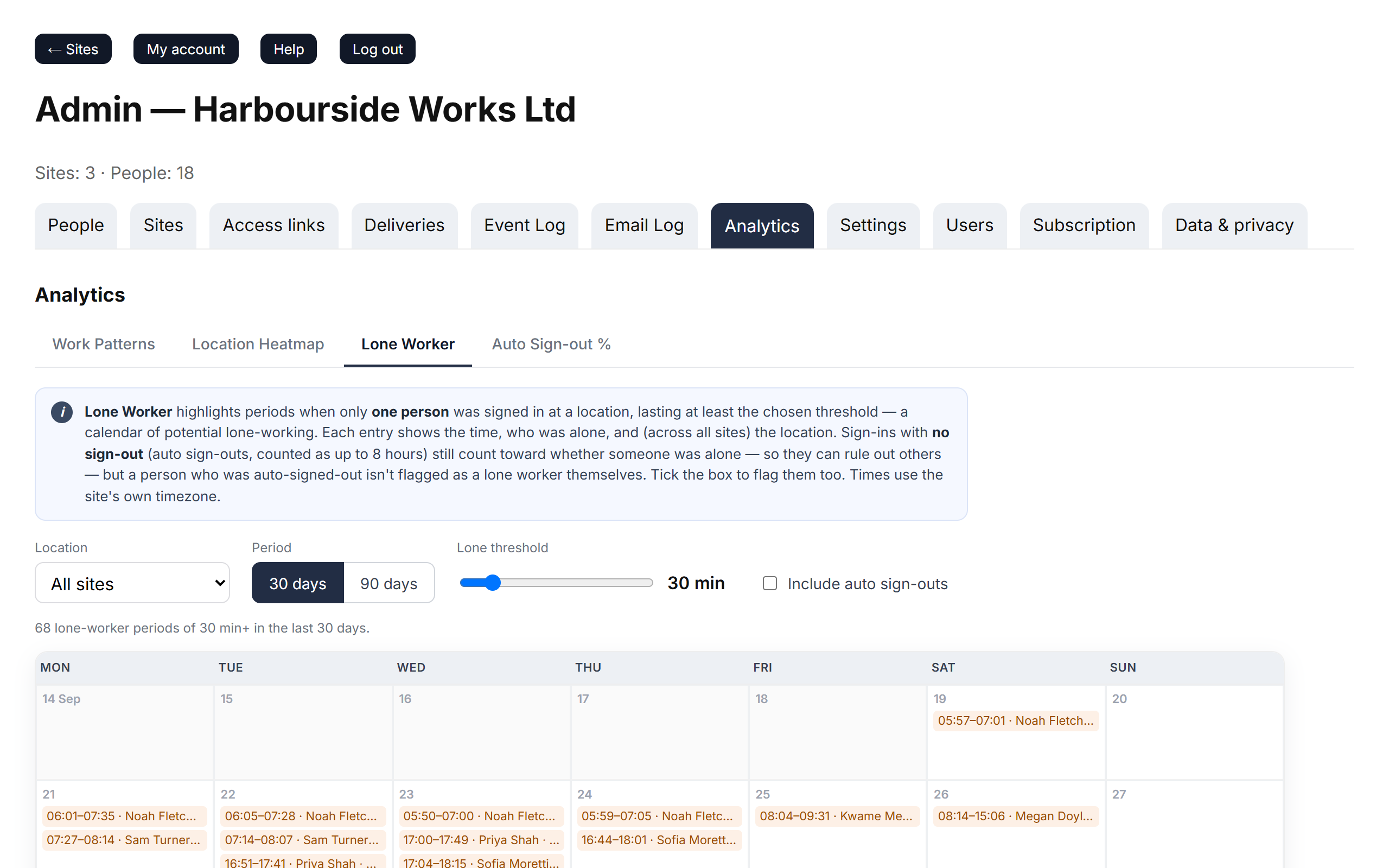
- Location: one site or all sites.
- Lone threshold: the shortest lone period worth showing, from 15 minutes to 3 hours.
- Include auto sign-outs: also count visits that had no sign out (these are assumed to last a working day).
Use it to check your lone-working policy is being followed.
Auto Sign-out %
Ranks people by how often they forget to sign out: Sessions, Auto (no sign out) and Auto sign-out %. Green is under 20%, amber 20–49%, red 50% or more.
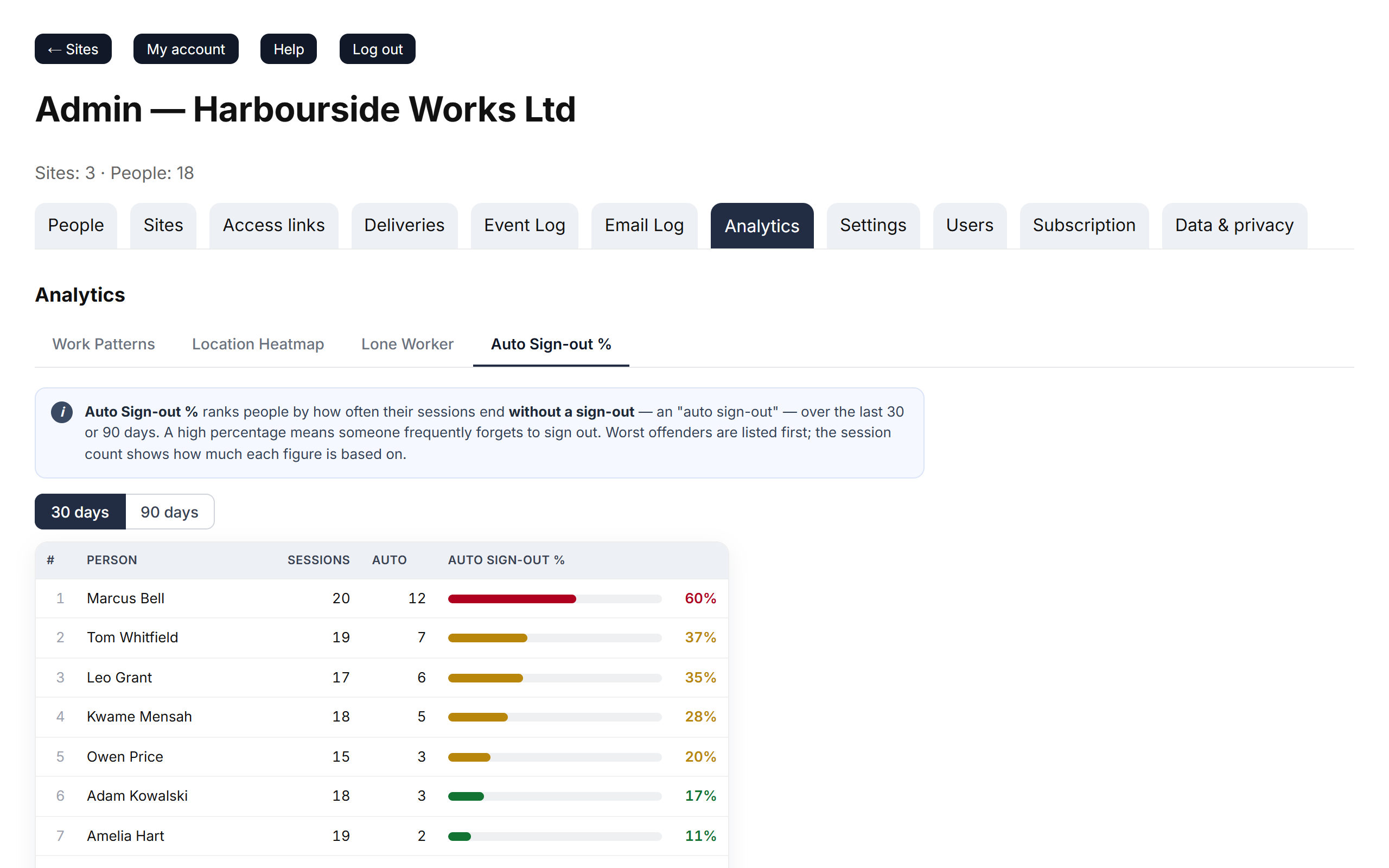
A high percentage usually means someone needs a reminder — or that a tablet is in the wrong place to catch people leaving.