
Sign visitors in and out
Signing in
- Tap Visitor sign in (on the screen or in the bar at the bottom).
- Fill in:
- Full name
- Company
- Group size — how many people are in your group, including you
- Phone (optional)
- Tap Sign in.
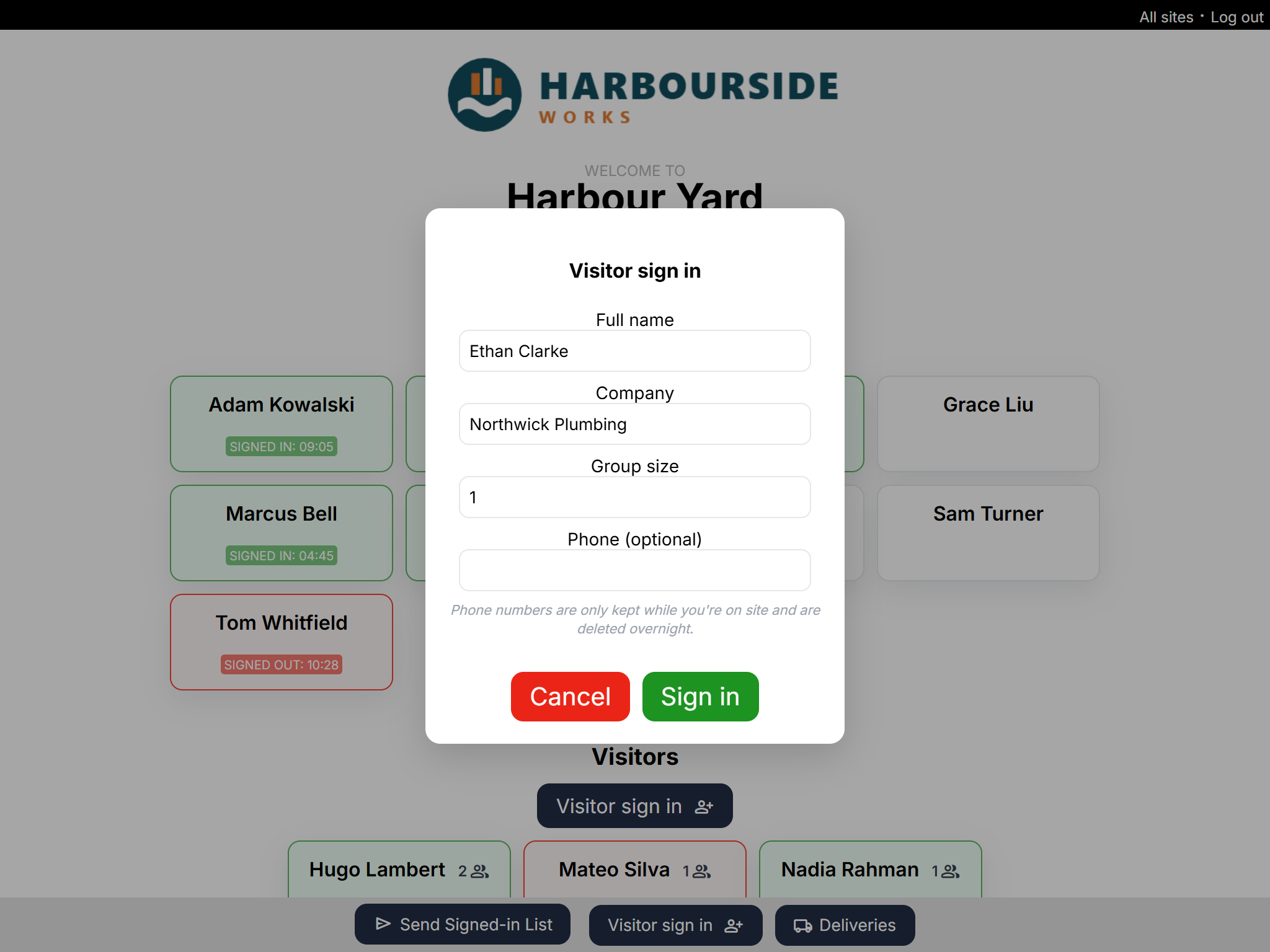
The visitor appears under Visitors with a green badge.
Signing out
- Find the visitor's card under Visitors.
- Tap it, then tap Confirm.
Good to know
- Name, company and a group size of at least 1 are required.
- The phone number is only kept for a short time — see Visitor phone numbers.
- The Visitors list shows recent visitors at this site. Visitors who forget to sign out are signed out automatically. A visitor returning on another day should sign in again with the form.
- Tapping a signed-out visitor's card signs them back in with the same group size.
- Visitors who are signed in are included in the Signed-in List, with their group size.