
Turn on deliveries
Deliveries are off until you turn them on. Once on, a Deliveries button appears on that site's sign-in screen.
Steps
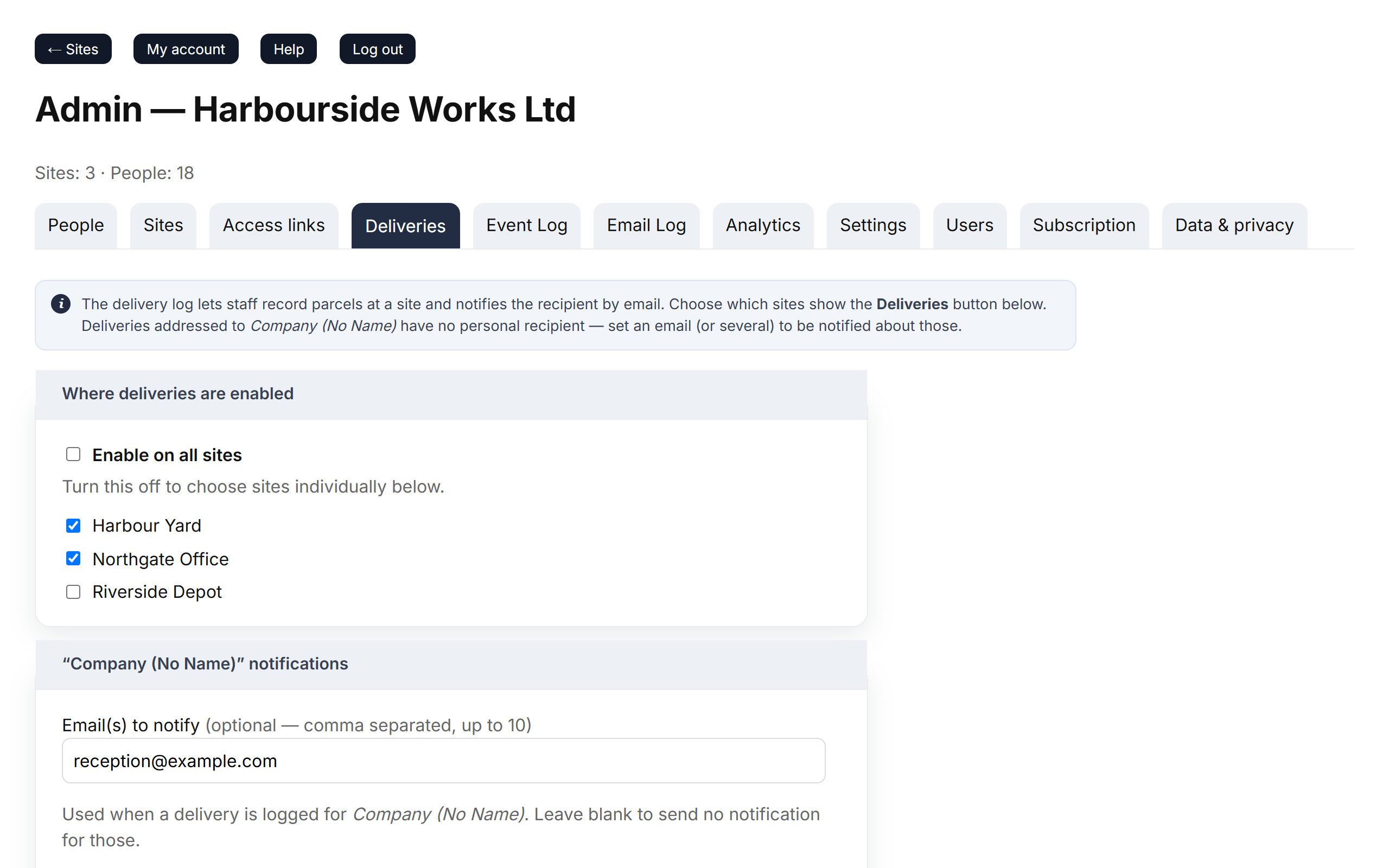
- Go to Admin → Deliveries.
- Under Where deliveries are enabled, tick Enable on all sites, or tick individual sites.
- Under “Company (No Name)” notifications, add the emails that should hear about parcels that aren't for a named person — up to 10, separated by commas.
- Click Save delivery settings.
Good to know
- Parcels for a named person are emailed to the address in Admin → People. If it's empty, the delivery is still recorded but nobody is emailed.
- Invalid email addresses are ignored when you save — double-check them.
- To show the delivery log somewhere without a login, use a view-only link.