
Event log and email log
Event log
Admin → Event Log lists sign ins and sign outs, newest first, for staff and visitors.
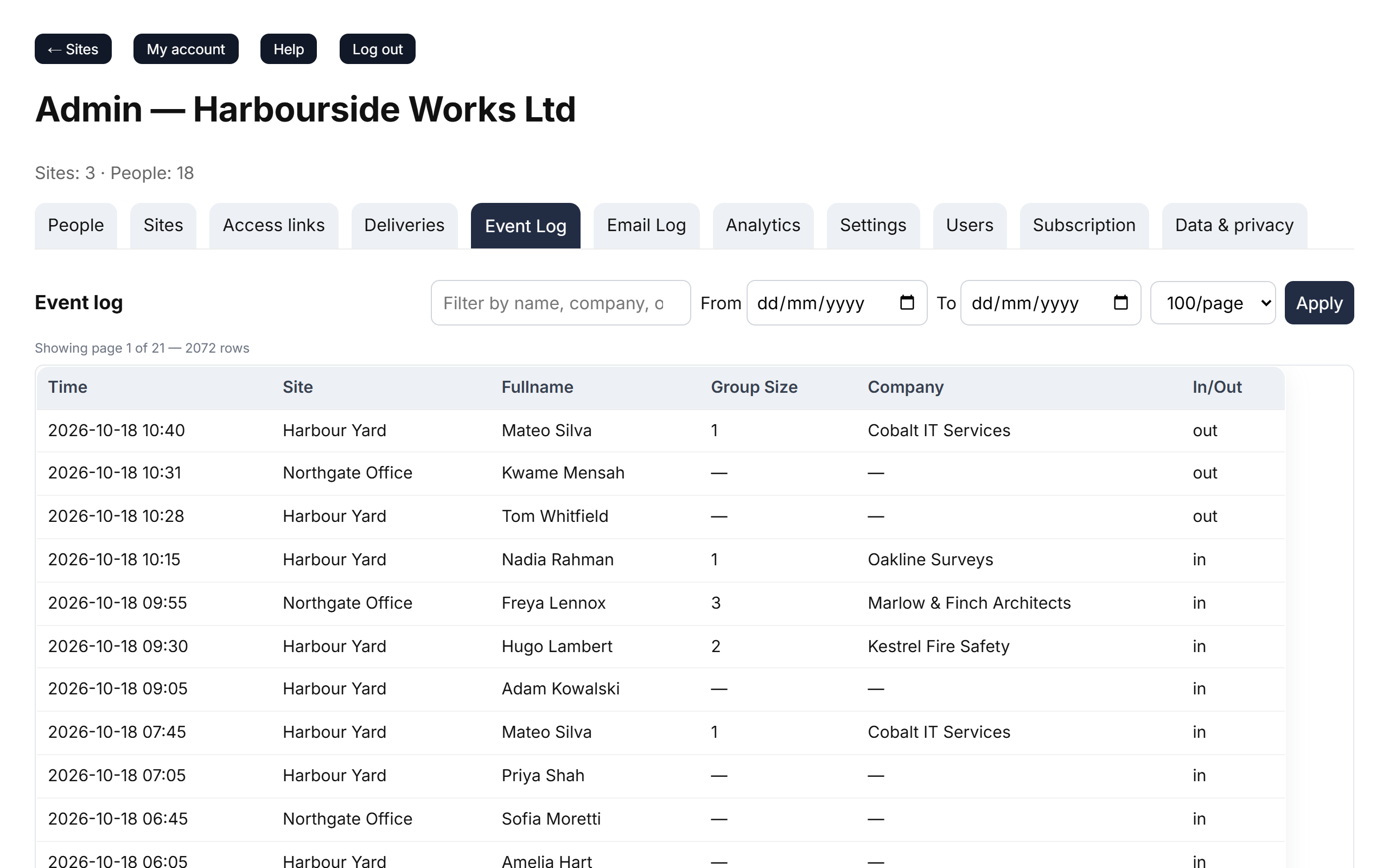
- Search by name, company or site in the filter box, pick dates with From and To, choose how many rows per page, and click Apply. Reset clears the filters.
- Columns: Time, Site, Fullname, Group Size, Company and In/Out. Staff rows have no group size or company — that's how to tell them apart from visitors.
- Times are shown in your device's time zone; the From and To dates are UK dates.
- The log goes back as far as your retention setting keeps records. To work with the data in a spreadsheet, download your data.
Email log
Admin → Email Log lists the emails Clavarius sent for your organisation: Signed-in Lists, delivery notifications, password resets and account emails.
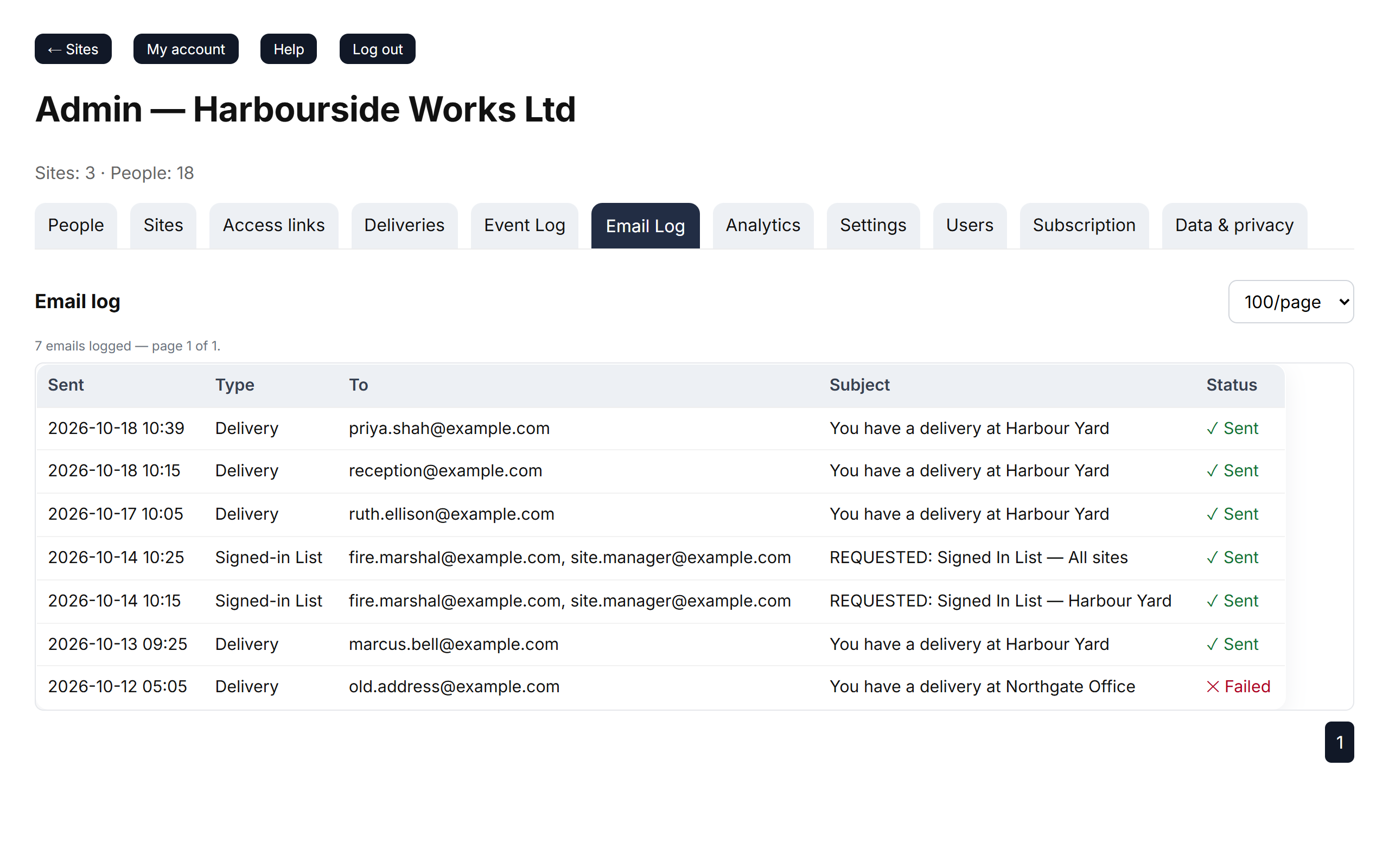
- Columns: Sent, Type, To, Subject and Status.
- ✓ Sent means the email was handed over for delivery. ✕ Failed means it wasn't — hover over it to see why.
- The email log is kept for 12 months.
If an email shows as sent but never arrived, see Emails aren't arriving.