
Add and manage sites
A site is a location with its own sign-in screen. How many sites can be active at once depends on your plan — the top of the page shows "Active sites: N of L allowed".
Add a site
- Go to Admin → Sites.
- Under Create site, enter a Name, for example "Head Office".
- Leave Active now ticked if you want to use it straight away.
- Click Create site and confirm.
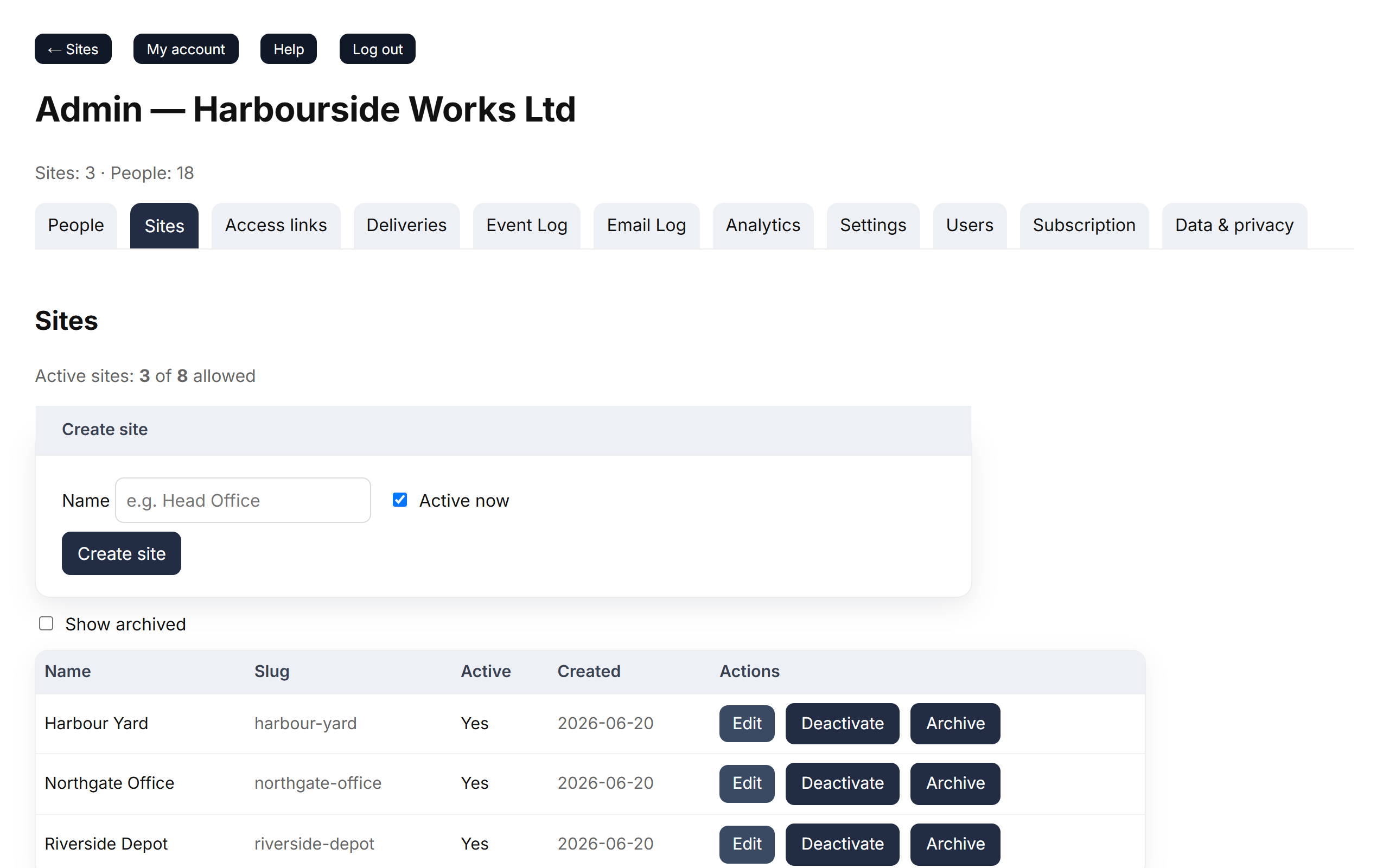
Each site gets its own address, made from its name when you create it.
Deactivate, archive and unarchive
| Action | What it does |
|---|---|
| Deactivate | The site disappears from the list of sites and stops counting towards your limit. You can Activate it again. |
| Archive | Hides the site from the list and makes it inactive. Tick Show archived to see archived sites. |
| Unarchive | Brings an archived site back as inactive; click Activate when you're ready. |
Sites are never deleted, so their history stays in your logs and reports.
Good to know
- If you've reached your plan's limit, new sites are created as inactive. Deactivate or archive another site, or change plan.
- Two sites can't have the same address. If an archived site already uses the name, unarchive it or choose a different name.