
Share a view-only link
A view-only link opens a page that anyone with the link can see, without signing in. It updates itself every minute, so it works well on a fire marshal's phone or a screen in reception.
There are two kinds:
- Signed-in list — who's on site now: staff names, and visitors with company, phone and group size.
- Delivery log — the most recent deliveries.
Create a link
- Go to Admin → Access links.
- Under Generate signed-in view link (or Generate delivery log link):
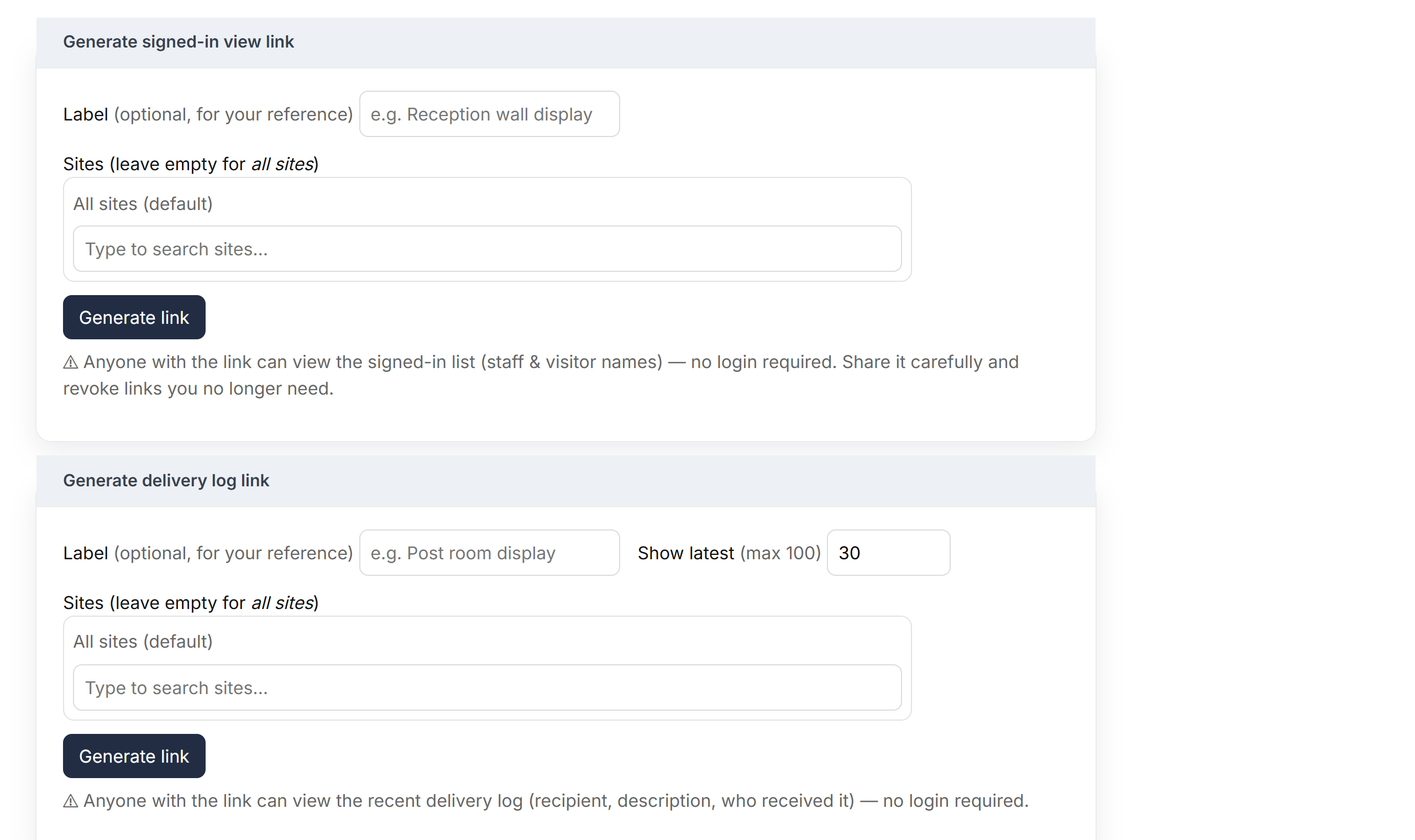
The forms for creating links - add a Label so you remember who it's for, for example "Fire marshals";
- choose Sites, or leave it empty for all sites;
- for a delivery log, choose how many to Show latest.
- Click Generate link and confirm.
- Click Copy next to the new link and send it to the people who need it.

Your links, each with a Copy button
Revoke a link
Click Revoke and confirm. Anyone using the link loses access immediately. Revoked links can then be removed from the list with Delete.
Good to know
- Links stop working while your account is suspended or your trial has ended, and start again once it's sorted.
- The page shows the time it was last updated, in UK time.