
Ask visitors to accept your site rules or an NDA
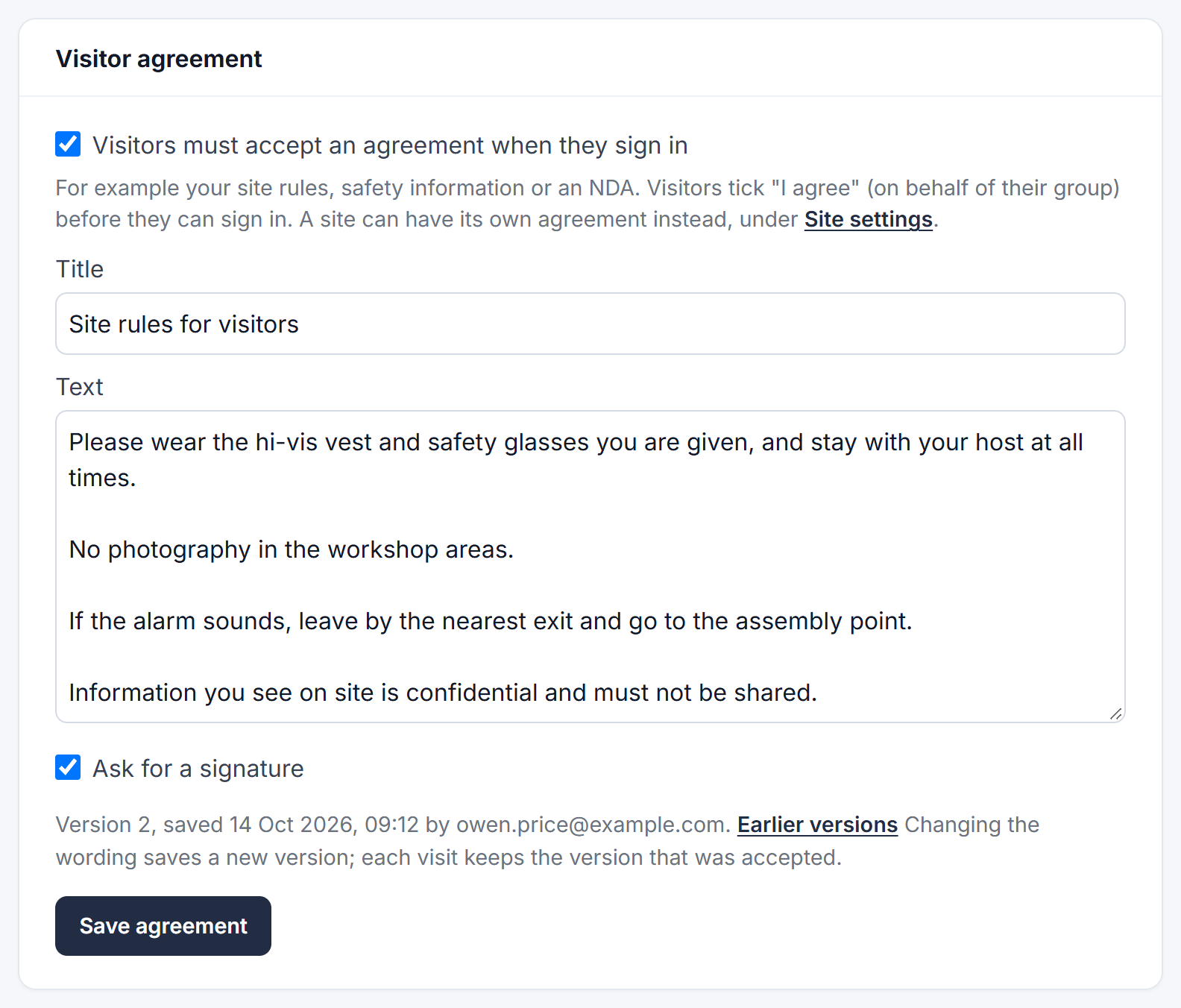
A visitor agreement is text that visitors must accept before they can sign in: your site rules, safety information or a non-disclosure agreement. You can also ask them to sign it with a finger on the tablet.
It's off until you turn it on.
Set up your agreement
- Go to Admin → Visitors & deliveries → Visitors.
- Under Visitor agreement, tick Visitors must accept an agreement when they sign in.
- Enter a Title (for example "Site rules for visitors") and the Text. Leave a blank line between paragraphs.
- Tick Ask for a signature if you want visitors to sign as well.
- Click Save agreement.
A different agreement for one site
Each site has a Visitor agreement choice under Site settings, lower down the same page (click the site to open it). Click Save site settings when you've chosen:
- Same as everywhere: visitors accept the agreement at the top of the page (the default).
- Its own: enter a title and text for this site only, for example a laboratory with its own NDA.
- None: visitors at this site aren't asked.
What visitors see
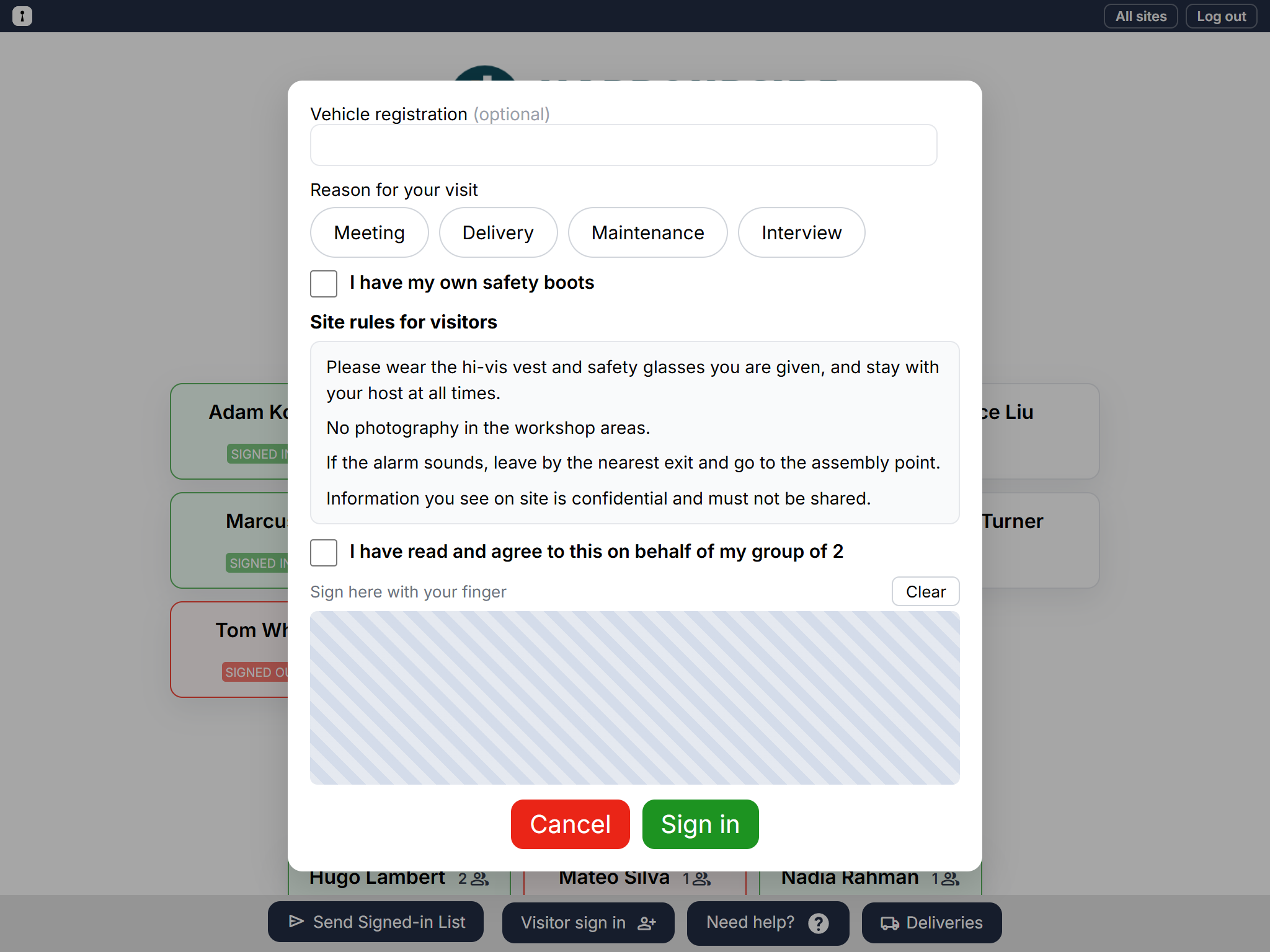
On the visitor sign-in form, below the usual details, visitors see the agreement and tick I have read and agree to this. If their group size is more than 1, it says "on behalf of my group of 3", so one person accepts for the whole group. If you've asked for a signature, they sign in the box with a finger (Clear starts again). They can't sign in until they've done both.
Changing the wording
When you change the title, the text or Ask for a signature and save, Clavarius keeps it as a new version. Visitors who signed in before keep the version they accepted, so you can always see exactly what someone agreed to. Click Earlier versions under the text to see every version, with how many visits accepted each.
See what a visitor accepted
- Go to Admin → Reports → Sign-in events and find the visitor.
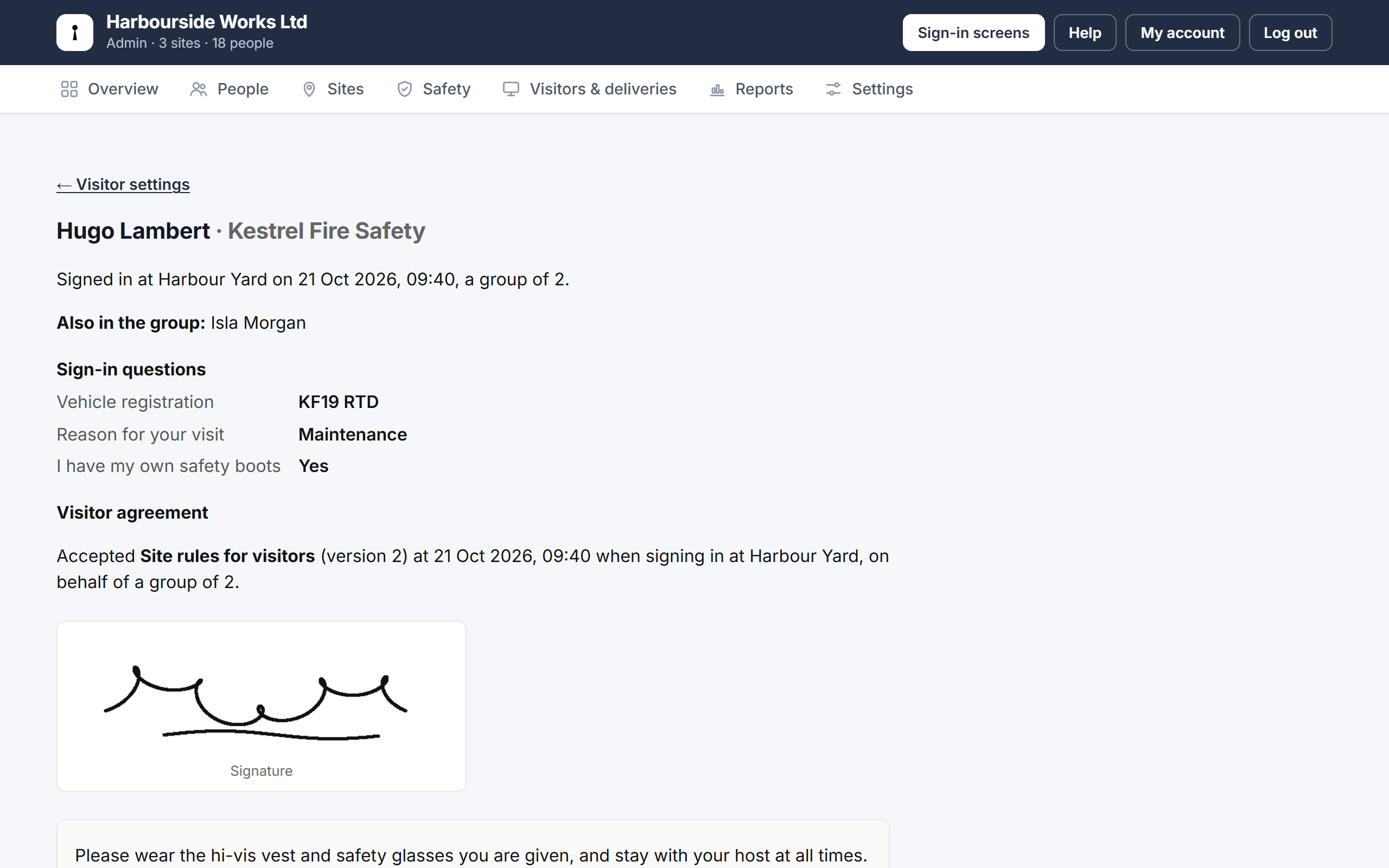
- Click Visit details under their company.
You'll see which version they accepted and when, at which site, for how many people, their signature and the exact wording.
Good to know
- Agreements and signatures are included when you download your data, with each signature as a picture.
- They're kept for as long as your visitor records and deleted with them.
- The Overview tab shows which sites ask visitors to accept an agreement.